Smart Control for Your College Gates
Comprehensive system for managing student entry via QR codes - no more crowding or unauthorized access
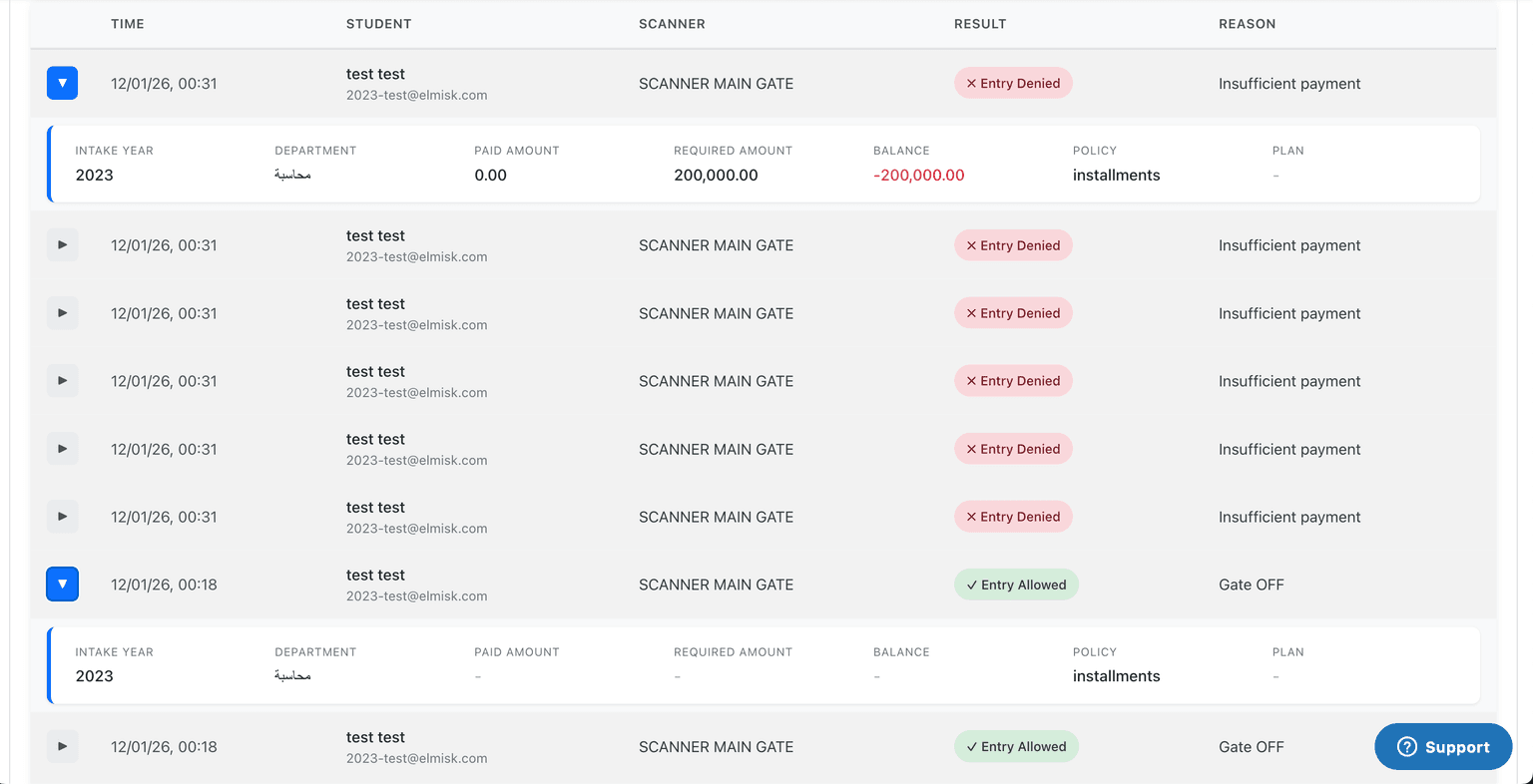
Problems We Solve
Daily challenges faced by Iraqi college administrations
Gate Crowding
Long queues at entry cause student delays and staff frustration
Slow Manual Checking
Manual identity verification takes time and is prone to errors
Unauthorized Entry
Difficulty preventing entry of unregistered or payment-defaulted students
No Accurate Records
No tracking of student attendance or entry times for review
The Solution: Gatepass
Integrated digital system that transforms gate management from chaos to order
Fast scanning without stopping
Scanning QR code from student's phone takes one second - no waiting
Automatic eligibility verification
System checks registration and payment status instantly before allowing entry
Automatic blocking of defaulters
Unregistered or payment-defaulted students cannot pass the gate
Complete log of all entries
Daily reports with names and entry times of all students for administrative review
Components
Two-part system that works together seamlessly
- Generates unique QR code for each registered student
- Verifies registration and payment status
- Allows administration to add custom entry policies
- Displays attendance reports and statistics
Who Benefits?
Solution that serves everyone
- •Easier work - quick scanning without arguments
- •Clear decision from system: yes or no
- •No need to memorize student faces or names
- •Protect college revenue from intruders
- •Prevent entry of non-paying students
- •Ready reports for review and accounting
- •Activate/deactivate student codes from Moodle dashboard
- •Apply custom entry policies (temporary ban, payment conditions)
- •Complete log of all entry operations
How Does Gatepass Work?
5 steps from installation to daily use
Install plugin on Moodle
Install Gatepass plugin on your college's Moodle system (one-time only)
Activate entry policy
Define who is allowed entry (registered and paid students for example)
Students open app
Each student opens Gatepass Mobile app and sees their personal code
Staff scans code
Gate staff scans QR code from student's phone
Instant result
System displays: allowed ✓ or denied ✗ - staff makes decision
System Screenshots
See Gatepass in action
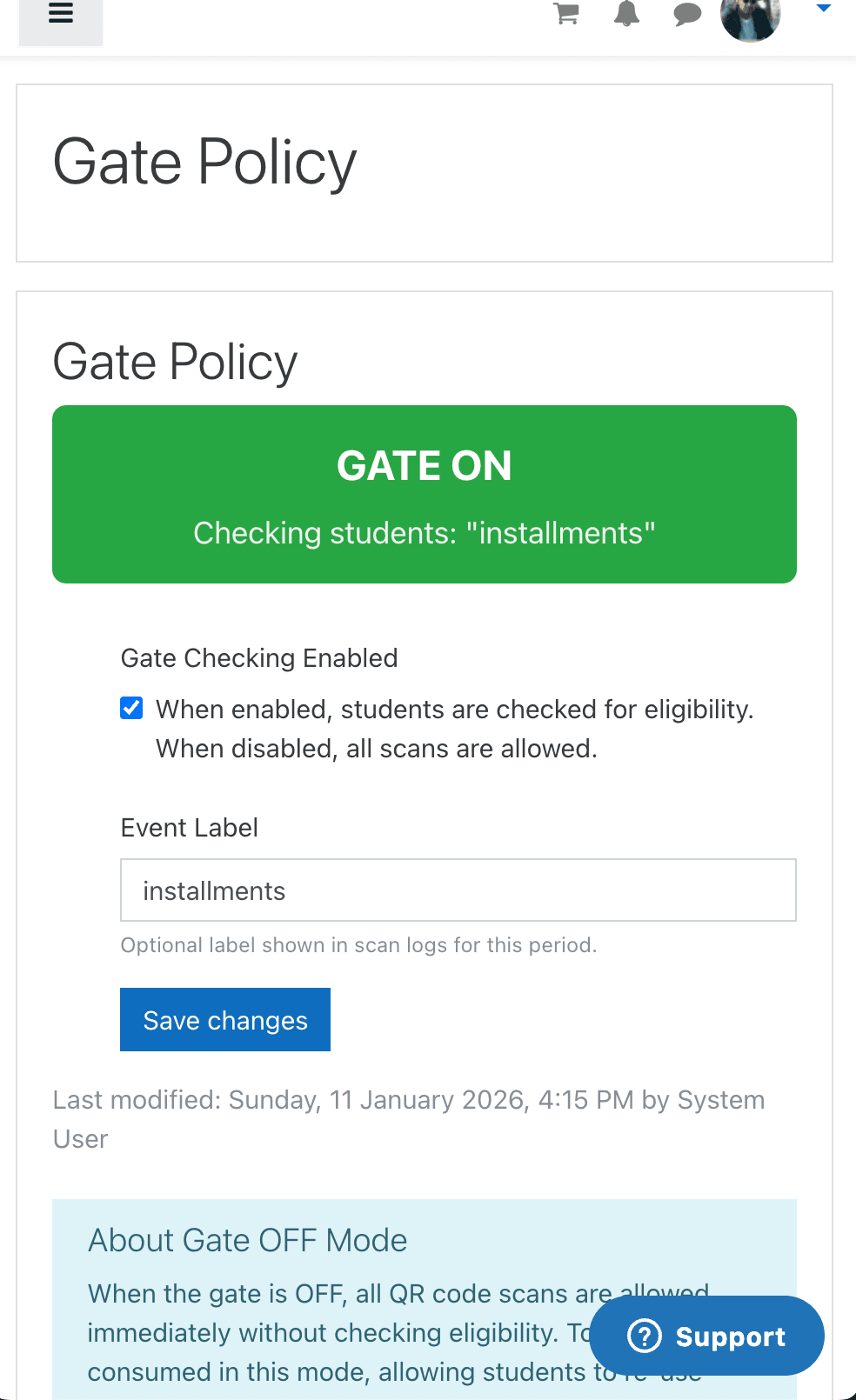
Plugin dashboard
Manage entry policies and reports from Moodle
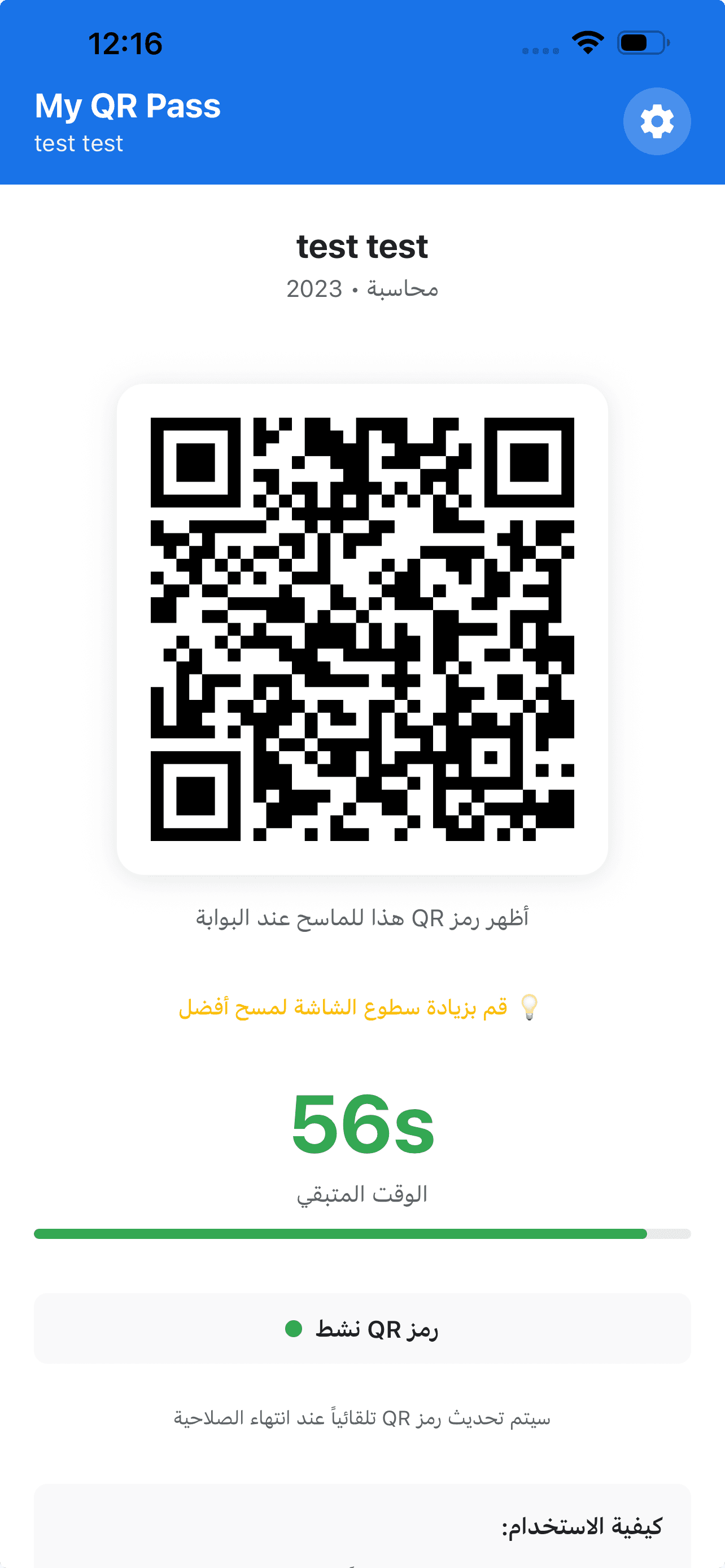
Student QR code
Simple interface displaying personal QR code
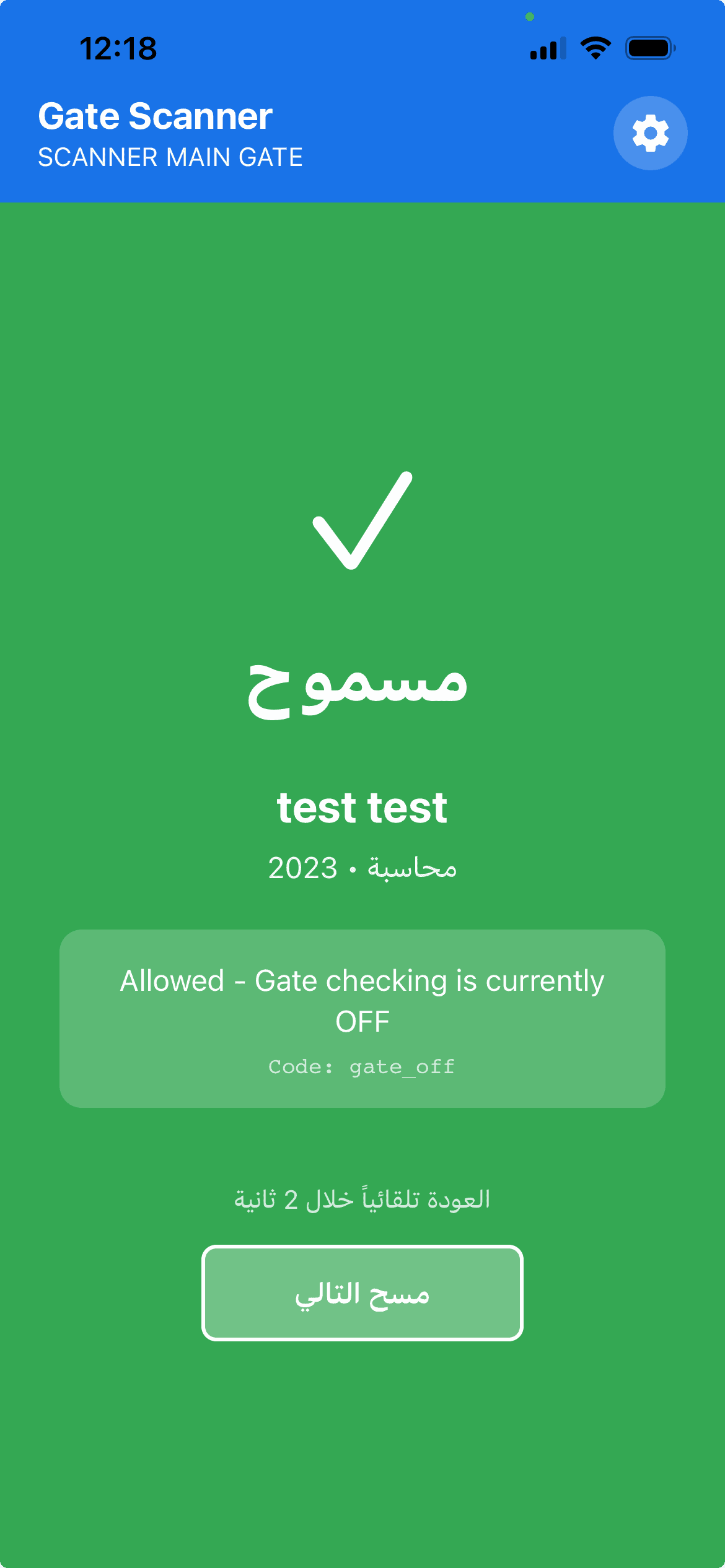
Scan result
Clear screen telling staff the decision
Plugin dashboard
Manage entry policies and reports from Moodle
Student QR code
Simple interface displaying personal QR code
Scan result
Clear screen telling staff the decision
What Our Customers Say
Iraqi colleges using Gatepass
قريباً - شهادات من كليات تستخدم النظام
Frequently Asked Questions
Answers to your main inquiries
Try Gatepass Free for One Month
Book a live demo and we'll answer your questions
Request Demo
Fill in the details and we'll contact you within 24 hours